Assets
The Assets page lists every file in a project and lets you upload, process, download and delete files.
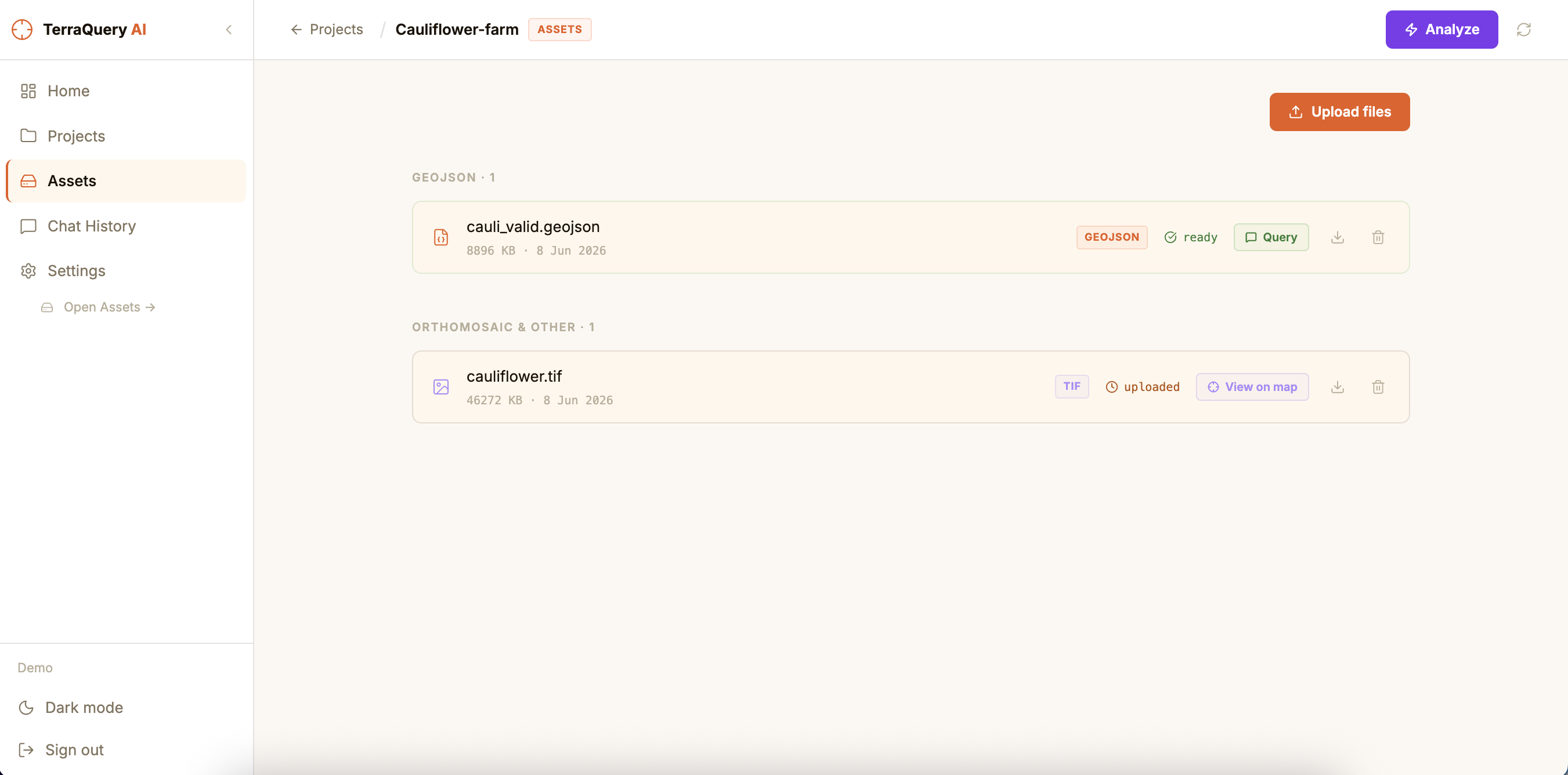
Upload files
Supported formats:
| Format | Extension | Use |
|---|---|---|
| GeoJSON | .geojson, .json | Vector annotations — enables chat & search |
| Shapefile | .zip | Auto-converted to GeoJSON on upload |
| Orthomosaic | .tif, .tiff | Raster imagery — rendered on the map |
| Image | .png, .jpg, .jpeg | Raster imagery |
Steps:
- Click Upload files (top-right of the Assets page).
- Drag files onto the drop zone, or click to browse.
- Progress is shown per file. Wait for all files to show done.
- Click Done to close the upload modal.
Files upload directly to object storage — large TIFFs (multi-GB) are supported. The API server is not a bottleneck.
Process a GeoJSON (embedding pipeline)
Before you can chat about a GeoJSON file, it must be processed. Unprocessed files show status uploaded.
- Find the GeoJSON file in the list. It shows a Process button.
- Click Process — a modal opens showing live pipeline logs.
- The pipeline runs through:
Detecting domain → Chunking features → Embedding chunks → Loading into DB. - When the status shows Complete, close the modal.
The file status changes to ready (green). You can now query it in chat.
Re-processing is possible at any time by clicking Process again on an error or uploaded file.
Analyze a project (shortcut)
The Analyze button (purple, top-right) is a one-click shortcut that:
- Processes the GeoJSON if it is not yet ready
- Loads the orthomosaic on the map
- Navigates directly to the Dashboard with chat active
Use this when you just uploaded a fresh set of files and want to jump straight to analysis.
Download a file
Every file in the list has a download icon (↓) to the right of its action buttons. Click it to download the original file directly from storage.
Delete a file
Click the trash icon next to a file. A confirmation modal appears.
- For GeoJSON files with embeddings, the modal shows how many spatial embeddings will be removed.
- Deletion removes the file from storage and all associated embeddings from the database.
- This action cannot be undone.
File statuses
| Status | Meaning |
|---|---|
uploaded | File is in storage but not yet processed |
processing | Embedding pipeline is currently running |
ready | Processed and available for chat queries |
error | Pipeline failed — click Process to retry |