Chat & querying
The chat panel is on the right side of the Dashboard. It connects to an AI agent that understands both natural language and your spatial data.
Prerequisite. The GeoJSON file for the active project must have status ready before chat is available. If it isn't, the Dashboard shows a prompt to go process the file.
Asking questions
Type any question in the input box and press Enter or click the send button. The agent:
- Detects the intent of your question
- Searches your spatial data using hybrid vector + spatial retrieval
- Returns a grounded answer with source objects
Example questions that work well:
How many defects are detected?
Where are we losing the most power?
Show me all features in the north zone
What is the total capacity in kilowatts?
Which areas have the most anomalies?
Show NDVI on the map
Source cards
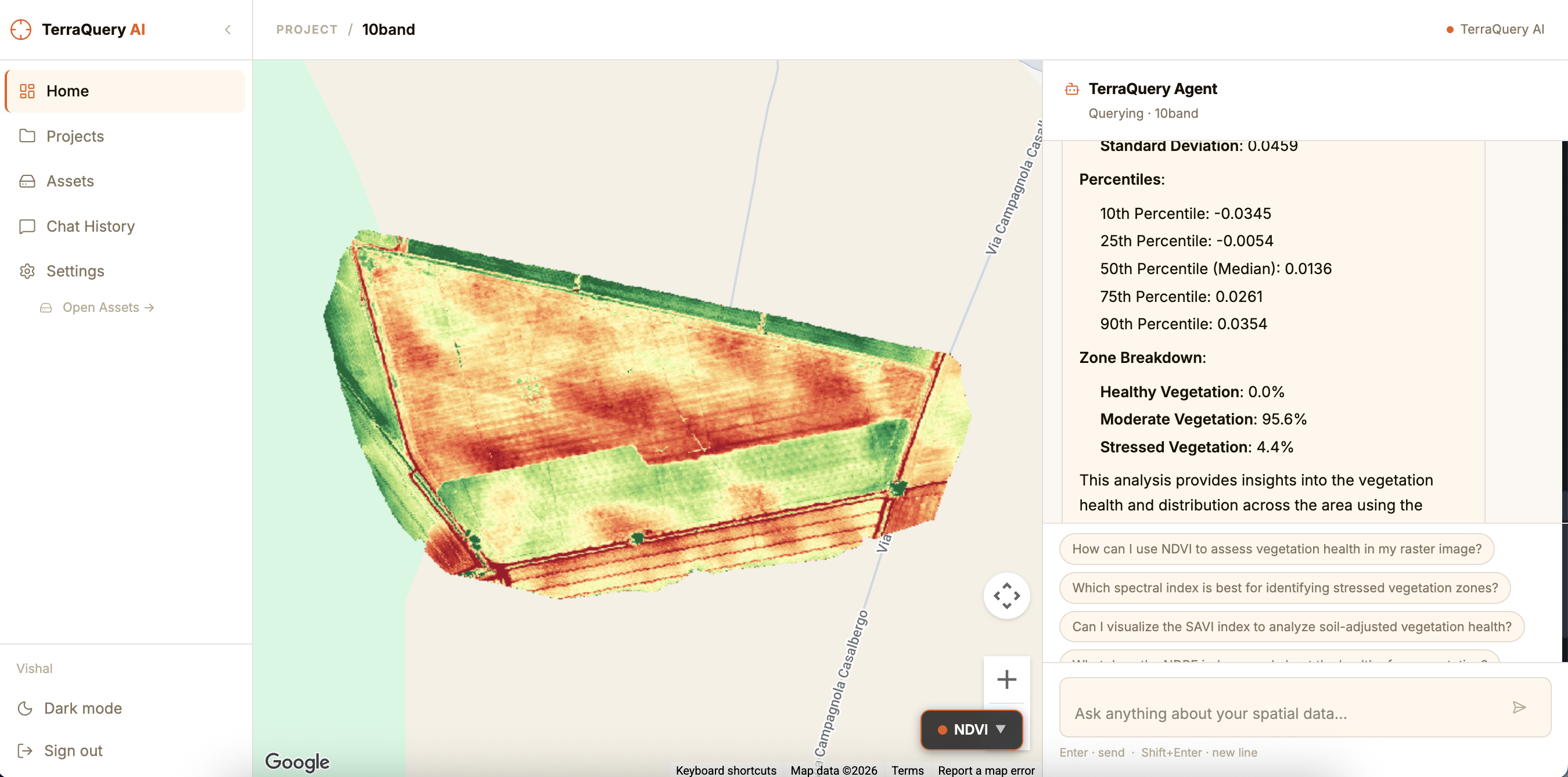
Each assistant response includes collapsible source cards — the specific spatial features the answer is grounded in. Each card shows:
- Object name and type
- Status (operational / defective / etc.)
- Area in m²
- Primary and secondary metrics
- Exact latitude / longitude
Requesting map overlays via chat
You can ask the agent to change the map view directly:
Show NDVI overlay
Calculate SAVI using band 6 and band 8
Use RedEdge and NIR for NDRE
Show ExG index
The agent will trigger a map update and confirm which index and bands are being used.
Specifying custom bands for index calculations
For multispectral imagery where you know the exact band layout, you can tell the agent which band numbers to use:
Calculate NDVI using band 8 and band 4
Use band 6 for NIR and band 2 for Red
The agent passes the band assignments to the tile renderer, producing a visualization based on exactly the bands you specified. The map reloads automatically.
Conversation context
The agent remembers the current conversation session. You can ask follow-up questions naturally:
User:  How many defects are in the south zone?
Agent: There are 14 defects in the south zone...

User:  Which one has the highest power loss?
Agent: The defect with the highest loss is POLYGON_88...